Notice: Function Elementor\Core\Experiments\Manager::warn_removed_or_hidden_dependency was called incorrectly. Feature mega-menu depends on hidden experiment nested-elements. Please see Debugging in WordPress for more information. (This message was added in version 4.3.6.) in /home2/shipeur7/public_html/wp-includes/functions.php on line 6260
Warning: Cannot modify header information - headers already sent by (output started at /home2/shipeur7/public_html/wp-includes/functions.php:6260) in /home2/shipeur7/public_html/wp-content/plugins/google-language-translator/google-language-translator.php on line 464
---
title: Integrate your Woocomerce store(s)
description: "## Generate FbAli API key 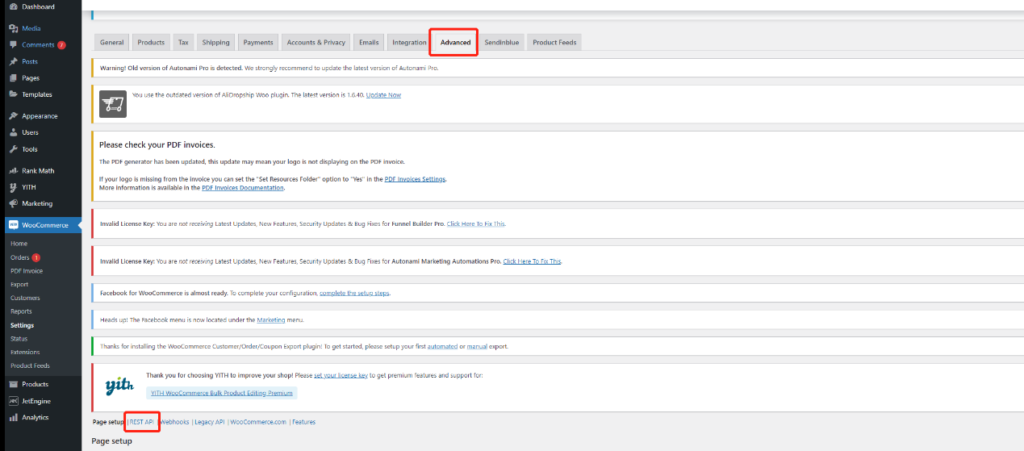 1. Go to: **Woocomerce** -> **Settings** -> **Advanced** -> **REST API** 2. Select **Add Key**. Enter FbAli, and set permission **Read/Write**. 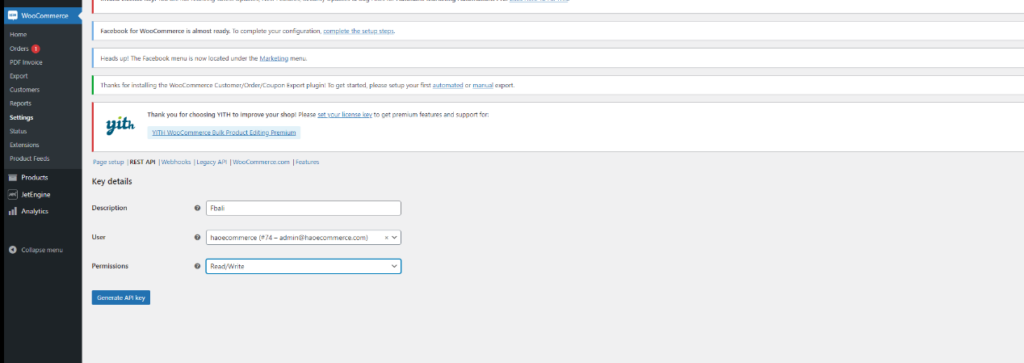 1. Generate API key, and copy **Consumer key** and **Consumer secret**. 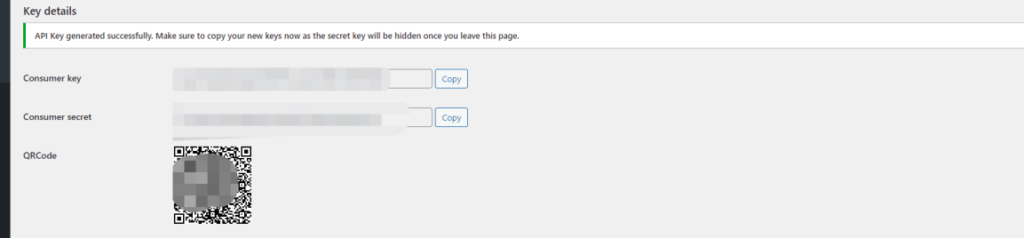…"
url: "https://ship2eu.com/help/get-started/integrate-your-woocomerce-stores/"
updated: "2022-08-04"
category: Get Started
---
# Integrate your Woocomerce store(s)
## Generate FbAli API key

1. Go to: **Woocomerce** -> **Settings** -> **Advanced** -> **REST API**
2. Select **Add Key**. Enter FbAli, and set permission **Read/Write**.

1. Generate API key, and copy **Consumer key** and **Consumer secret**.

1. Copy cnsumer key (API KEY) and Consumer secret (Secrete KEY).
## Enter store API key in FbAli
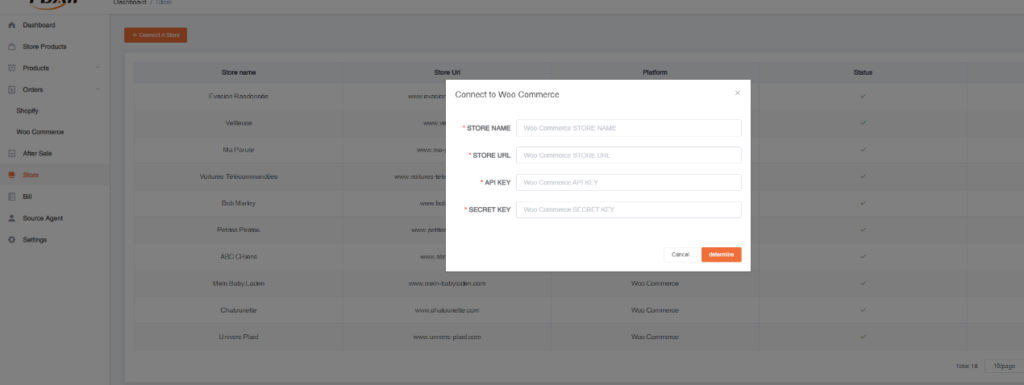
1. Go to FbAli : **Store** -> **+Connect A Store** -> **Woocomerce** and fill all the information. [https://app.fbali.co/login](https://app.fbali.co/login)