Deprecated: Function Happy_Addons\Appsero\Client::updater is deprecated since version 2.0! Use \Appsero\Updater::init($client);, for more details please visit: https://appsero.com/docs/appsero-developers-guide/appsero-client/appsero-sdk-updater-changes/ instead. in /home2/shipeur7/public_html/wp-includes/functions.php on line 6170

Notice: Function _load_textdomain_just_in_time was called incorrectly. Translation loading for the happy-addons-pro domain was triggered too early. This is usually an indicator for some code in the plugin or theme running too early. Translations should be loaded at the init action or later. Please see Debugging in WordPress for more information. (This message was added in version 6.7.0.) in /home2/shipeur7/public_html/wp-includes/functions.php on line 6170
Integrate your Woocomerce store(s) - Ship2eu
View Categories

Integrate your Woocomerce store(s)

< 1 min read

Generate FbAli API key #

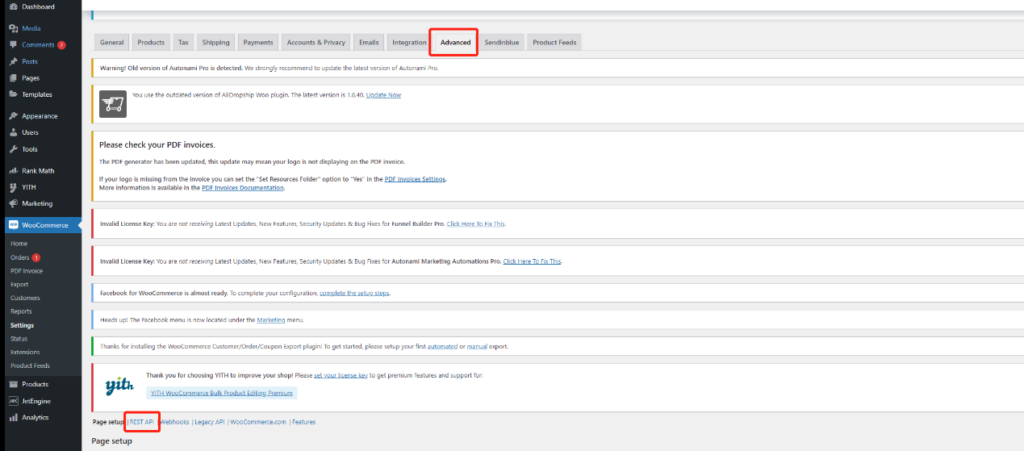
  1. Go to: Woocomerce -> Settings -> Advanced -> REST API
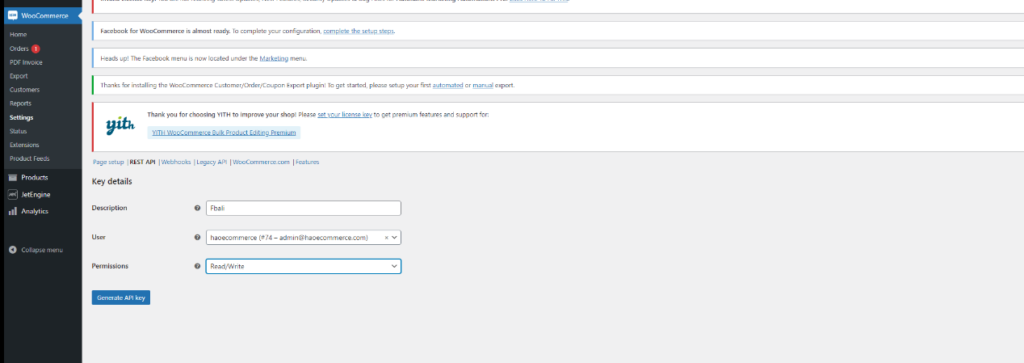
  2. Select Add Key. Enter FbAli, and set permission Read/Write.
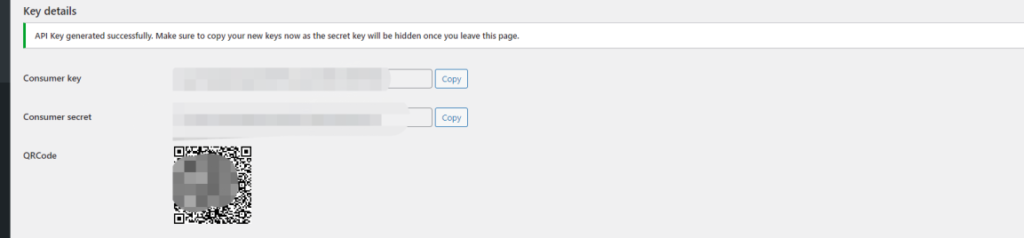
  1. Generate API key, and copy Consumer key and Consumer secret.
  1. Copy cnsumer key (API KEY) and Consumer secret (Secrete KEY).

Enter store API key in FbAli #

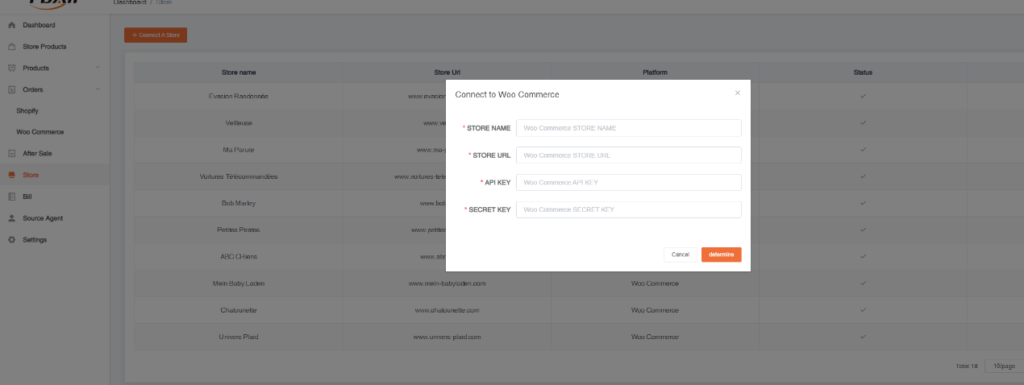
  1. Go to FbAli : Store -> +Connect A Store -> Woocomerce and fill all the information. https://app.fbali.co/login

Powered by BetterDocs

Language